LIFE Roleplay
New player guide

First steps on Block Island

You've just arrived with $5,000 in cash and no plan. This guide gets you a bank account, new clothes, your first car and your first job, with a paycheck from the Job Office at every step.

Start the guideBank · clothes · car · first job Your first tasks
IN-GAME · The beach below Palm Cliff
Your first tasksJOB OFFICE · ORIENTATION

Your first six tasks teach you the basics. Each one pays a reward that you collect at the Job Office in the town hall. This guide takes you through all six, then three more on the way to your first job.

Opening an Account

$250

Make your first deposit at a bank or an ATM.

In this guide · step 03

Pocket Change

$250

Deposit 1,000 in total.

In this guide · step 03

Dressed for Work

$300

Put on a piece of clothing.

In this guide · step 05 · + flashlight

Wardrobe

$1,000

Wear five different pieces of clothing.

In this guide · step 05

First Purchase

$200

Buy something from any shop.

In this guide · step 04

First Sale

$200

Sell something to any shop.

In this guide · step 09
Also in this guideWHEELS · ORCHARD & FIELD

First Car

$2,500

Buy your first vehicle.

In this guide · step 07

Low-Hanging Fruit

$250

Gather 10 peaches at the Peach Field.

In this guide · step 08 · + sickle

The Peach Run

$1,500

Sell 50 peaches.

In this guide · step 09
All nine: $6,450 + a flashlight and a sicklePaid into your bank account
Step by stepFROM THE BEACH TO YOUR FIRST PAYCHECK
01
Phone · P

Open your phone and the Job Office app

Press P to open your phone. The most important app when you start out is the Job Office.

It lists your tasks. Follow them to earn money, then collect your pay at the Job Office headquarters in the town hall. The first ones take you around town: the bank, a clothing shop and the Job Office itself.

The app shows your progress, today's Daily Jobs and a Navigate to the Job Office button. Rewards are collected in person at the office.
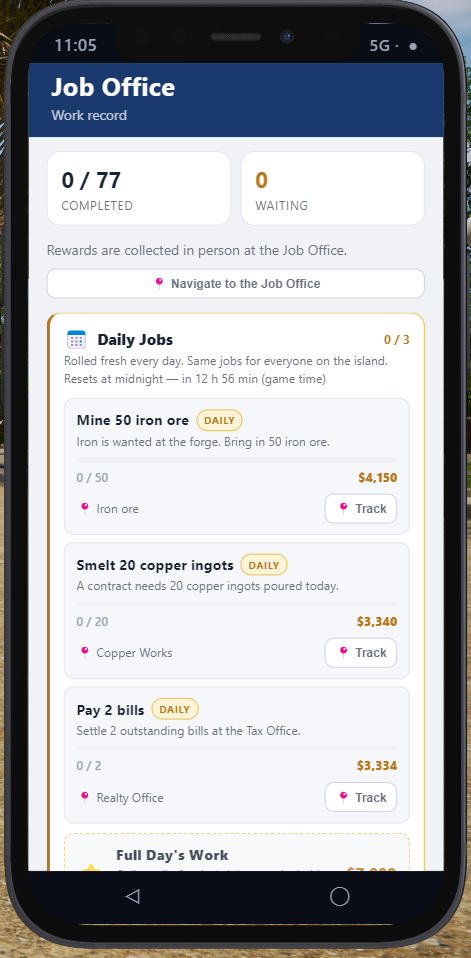
The Job Office app on the phone: tasks completed, rewards waiting, Daily Jobs and Navigate to the Job Office
01 The Job Office app
02
Map · M

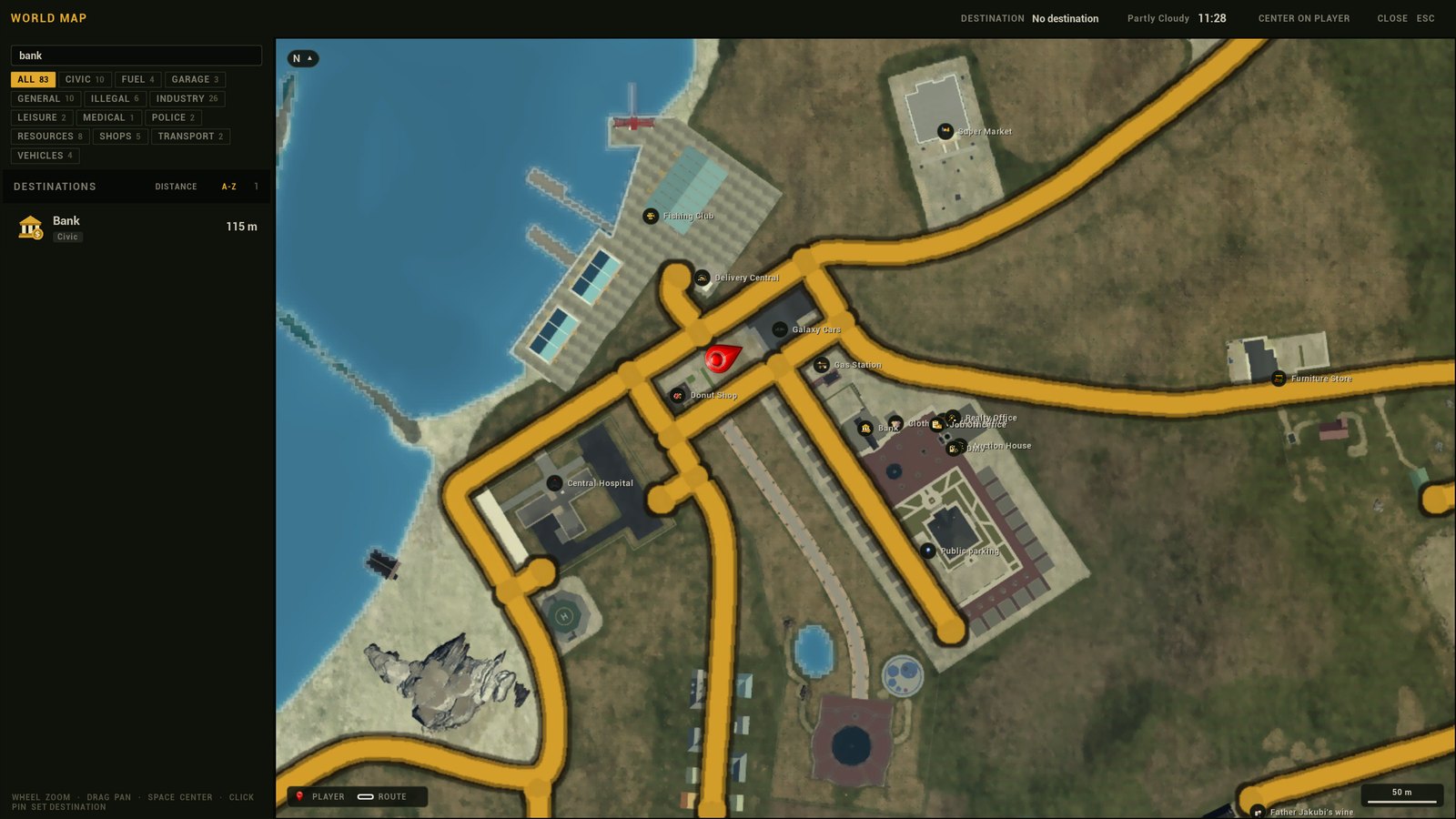
Find the bank on the map

Press M to open the world map. Every shop, office and job site on the island is on it.

  1. Type bank in the search box at the top left, or pick a category such as CIVIC.
  2. Click the Bank pin, or click it in the list, to set it as your destination.
  3. Close the map and follow the route. The GPS talks you through every turn.
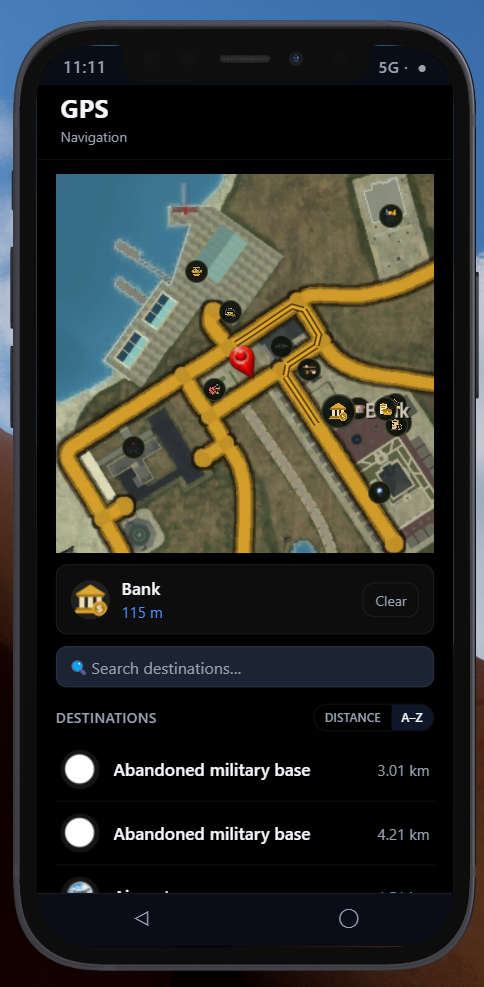
  4. To keep the route in view on the way, open your phone and the GPS app.
Free your cameraWhile the phone is open, your mouse is stuck on it as a cursor. Left-click any spot on the GPS map to get your camera back: you can look around and walk or drive with the GPS still open.
Town centreThe bank, the Job Office, the DMV, the Realty Office and the Auction House are all together in the town hall square.
The world map with 'bank' typed in the search box and the Bank pin in the town hall square
02 Search, click the pin, follow the route
The GPS app on the phone with the Bank set as destination, 115 m away
02 The GPS app on your phone
03
Bank · E

Open a bank account

You start with $5,000 in cash, so opening an account is a natural first thing to do.

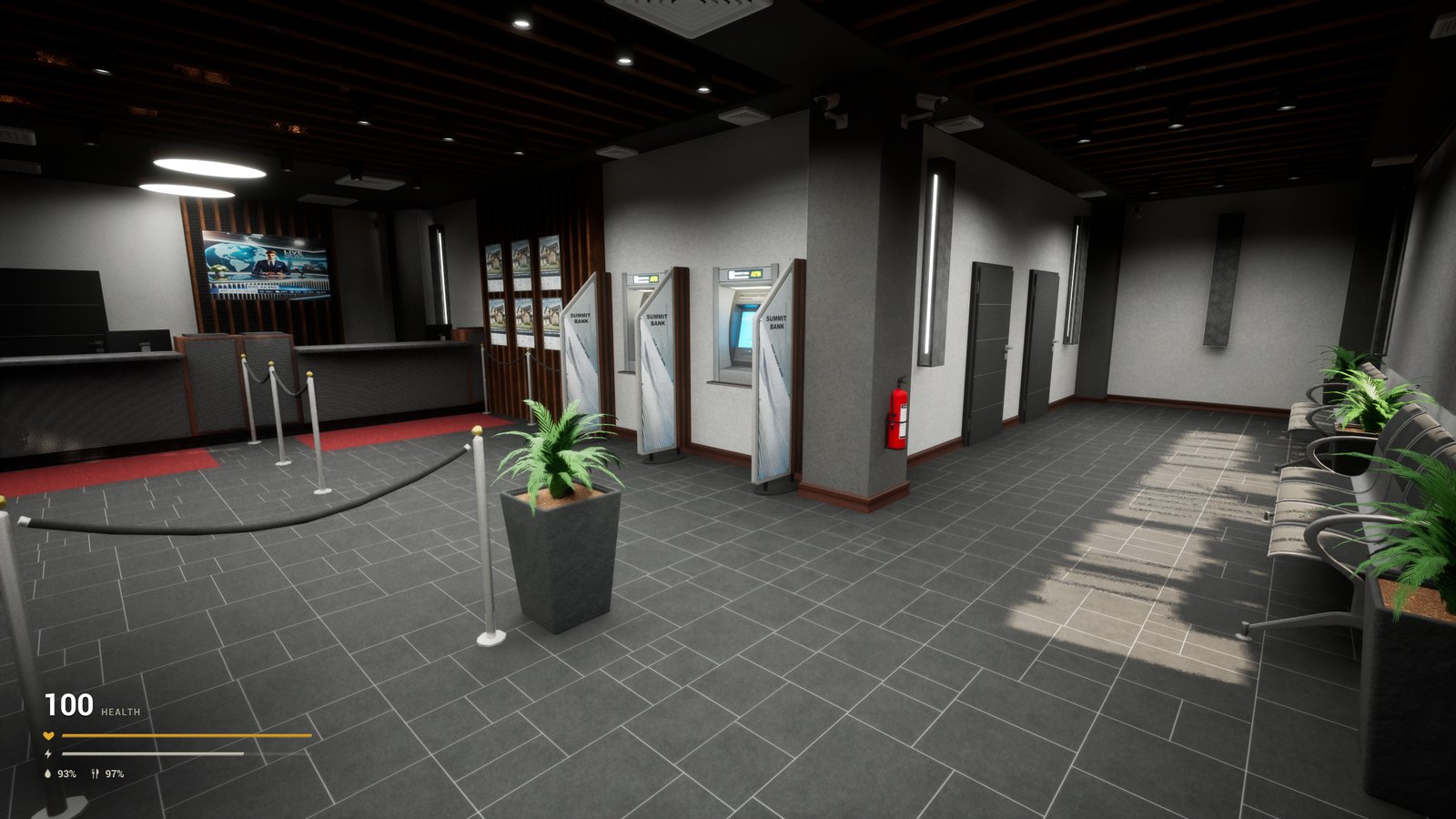
  1. Walk into the bank and go up to one of the ATMs.
  2. Look at it and press E to use it.
  3. Deposit $1,000.

That one deposit finishes your first two tasks at once:

Opening an Account$250
Pocket Change$250
Inside Summit Bank: the counter on the left and three ATMs along the wall
03 The ATMs are along the wall inside the bank
04
Clothing shop

Buy five pieces of clothing

Next, find the clothing shop on the map. It's in the town hall square, right by the bank.

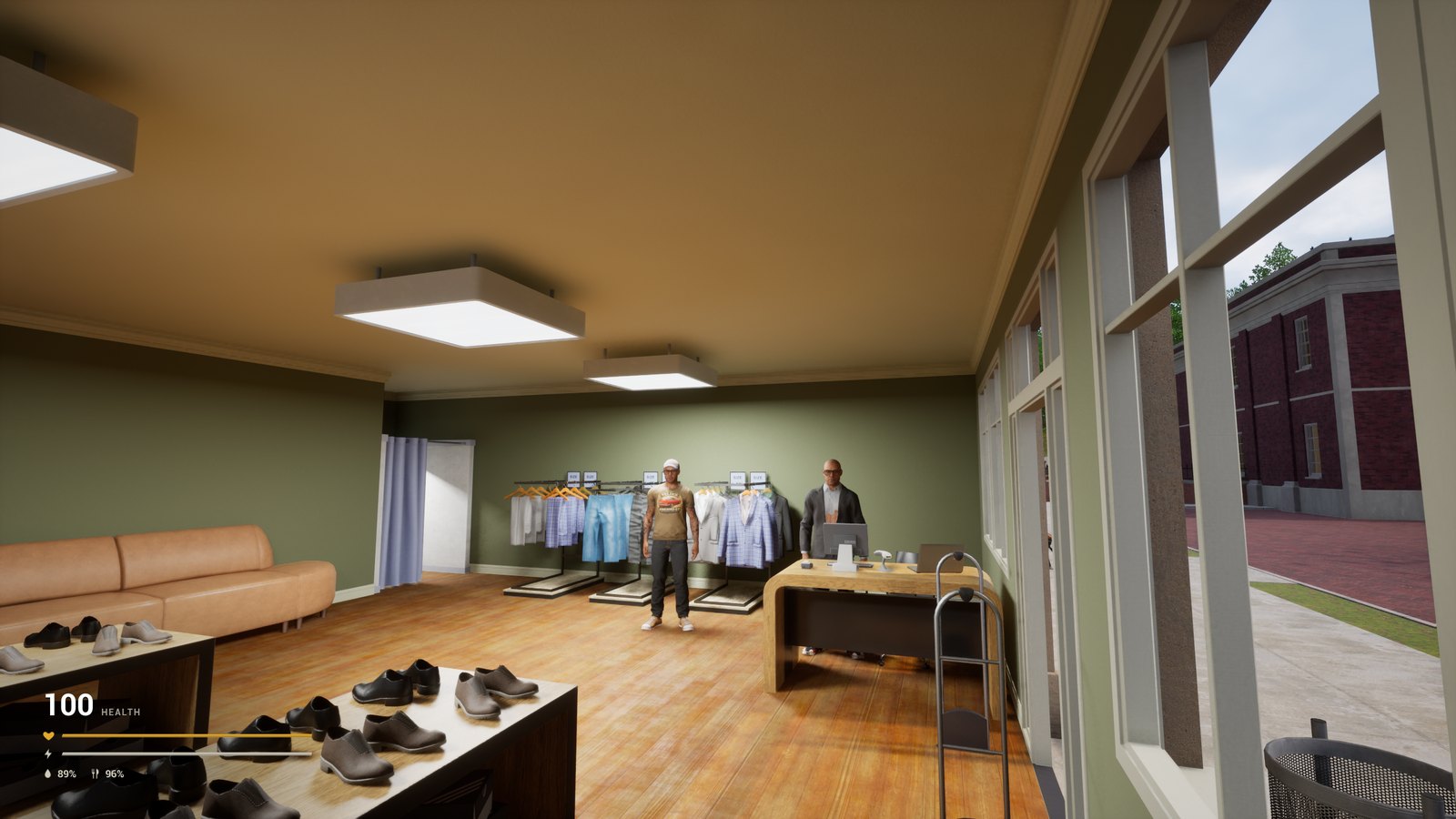
  1. Talk to the shopkeeper behind the counter.
  2. Buy five different pieces of clothing: a shirt, trousers, shoes, a hat, glasses, whatever you like.

Your first buy completes First Purchase. Five pieces set you up for the next two tasks.

Inside the clothing shop: clothes racks, shoes and the shopkeeper at the counter
04 The shopkeeper is at the counter by the window
05
Inventory · Tab

Put your new clothes on

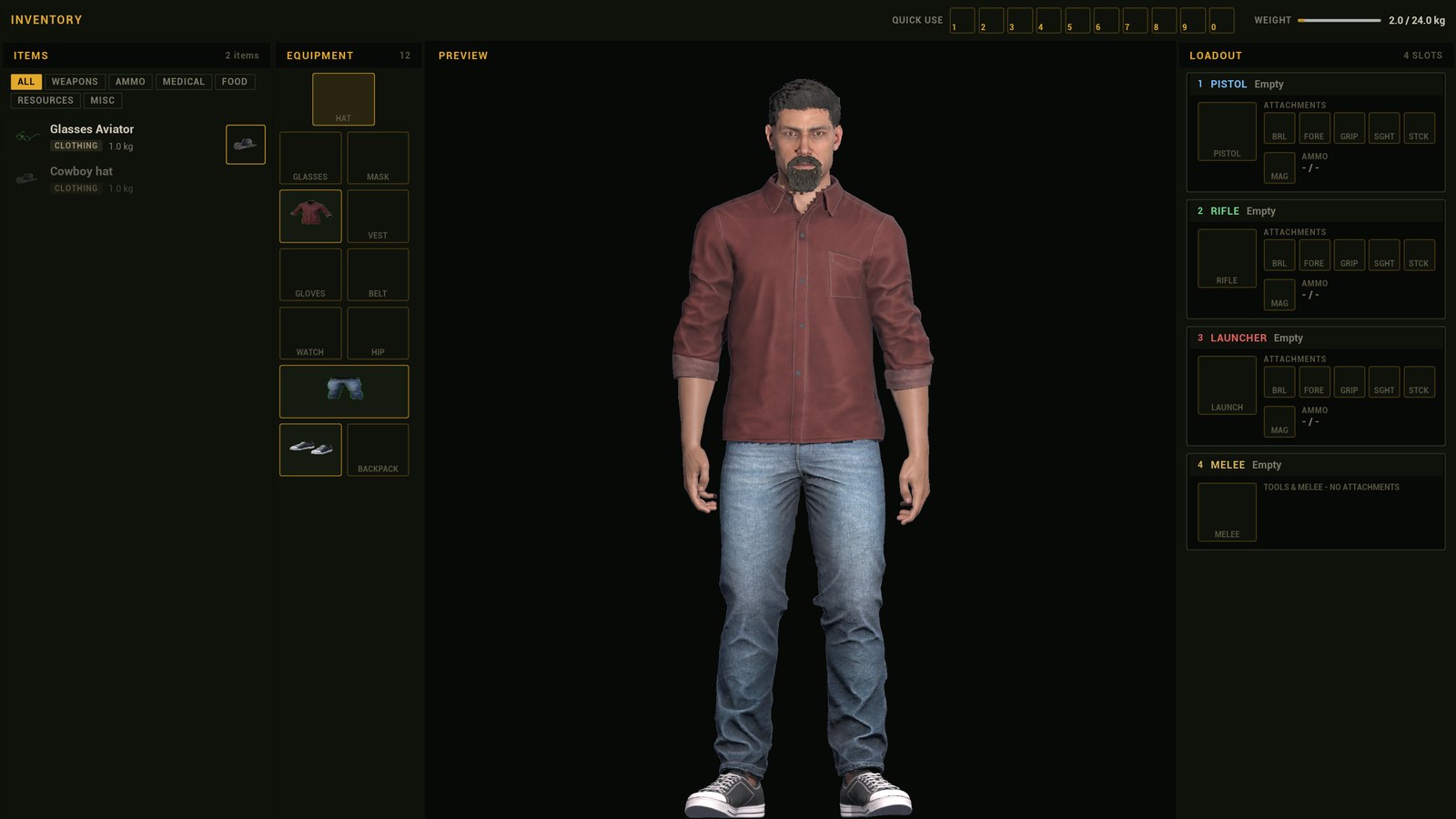
Press Tab to open your inventory. Your new clothes are in the list on the left. Put each one on in any of these ways:

  1. Drag and drop it onto the slot it fits: hat, glasses, shirt, trousers, shoes and so on.
  2. Double-click it.
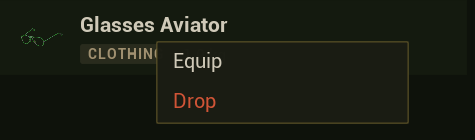
  3. Right-click it and choose Equip.Right-click menu on a clothing item with Equip and Drop

Wearing five different pieces finishes two more tasks:

Dressed for Work$300 + flashlight
Wardrobe$1,000
The inventory: items on the left, equipment slots in the middle, the character preview and weapon loadout
05 Items on the left, equipment slots in the middle
06
Job Office HQ · town hall

Collect your pay at the Job Office

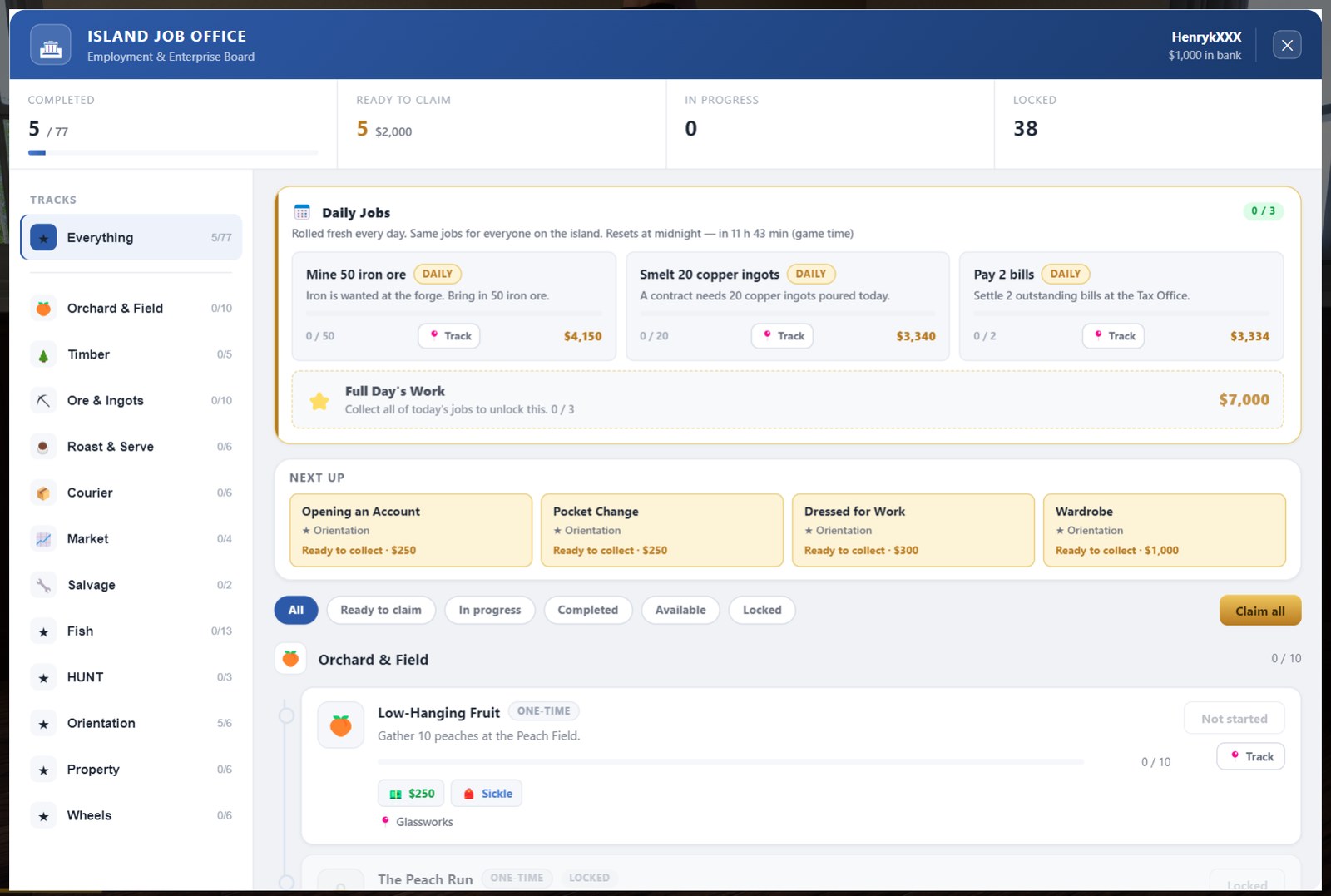
Finished tasks don't pay out on their own. You collect them at the Job Office headquarters.

  1. Go to the town hall, up to the first floor.
  2. Walk to the last room on the left: that's the Job Office.
  3. Talk to the clerk and click Claim all.

That's five tasks and $2,000, paid into your bank account, plus a flashlight. If your inventory is full, the item waits until you make room.

Daily JobsThe office also posts three Daily Jobs every day, the same for everyone on the island. They pay well once you have a trade.
The Island Job Office: five tasks ready to claim for $2,000, Daily Jobs, Next Up and the Claim all button
06 Ready to claim: 5 tasks, $2,000 · Claim all
07
Old Car Dealer

Buy your first car

By now you should have around $5,000–6,000 between your cash and your bank account, depending on the clothes you bought. Time for wheels.

  1. Go to the Old Car Dealer. It's about a five-minute walk from the town square. You can also call a taxi from the Taxi app on your phone: Jonson drives you there, but the ride costs money. In the taxi, press M to pick where to go.
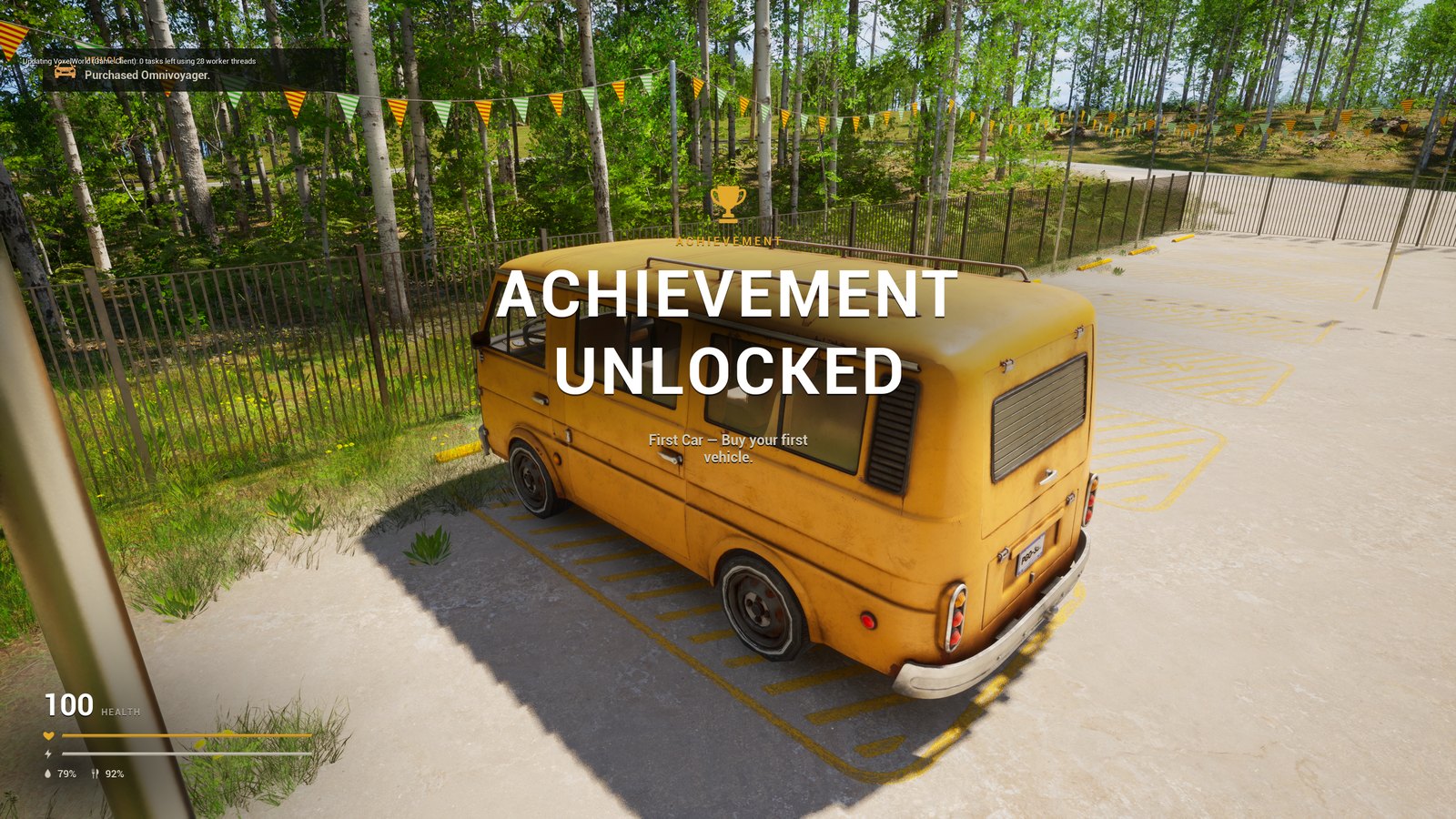
  2. Buy the Omnivoyager for $2,800. It's a good first choice: its 180 kg trunk carries plenty of resources while you work.
  3. Walk up to it and press U to unlock it.
  4. Aim at the back of the van to open the trunk. Aim at the driver's door to get in.
  5. Press F to start the engine.
First Car$2,500
LicenceYou can drive without a licence, but the police will fine you. Get one at the DMV in the town hall square.
The new Omnivoyager van at the Old Car Dealer with the First Car achievement on screen
07 The Omnivoyager: $2,800, 180 kg trunk
08
Peach Field · E

Your first job: gather 50 peaches

Drive to the Peach Field. This is your first real work.

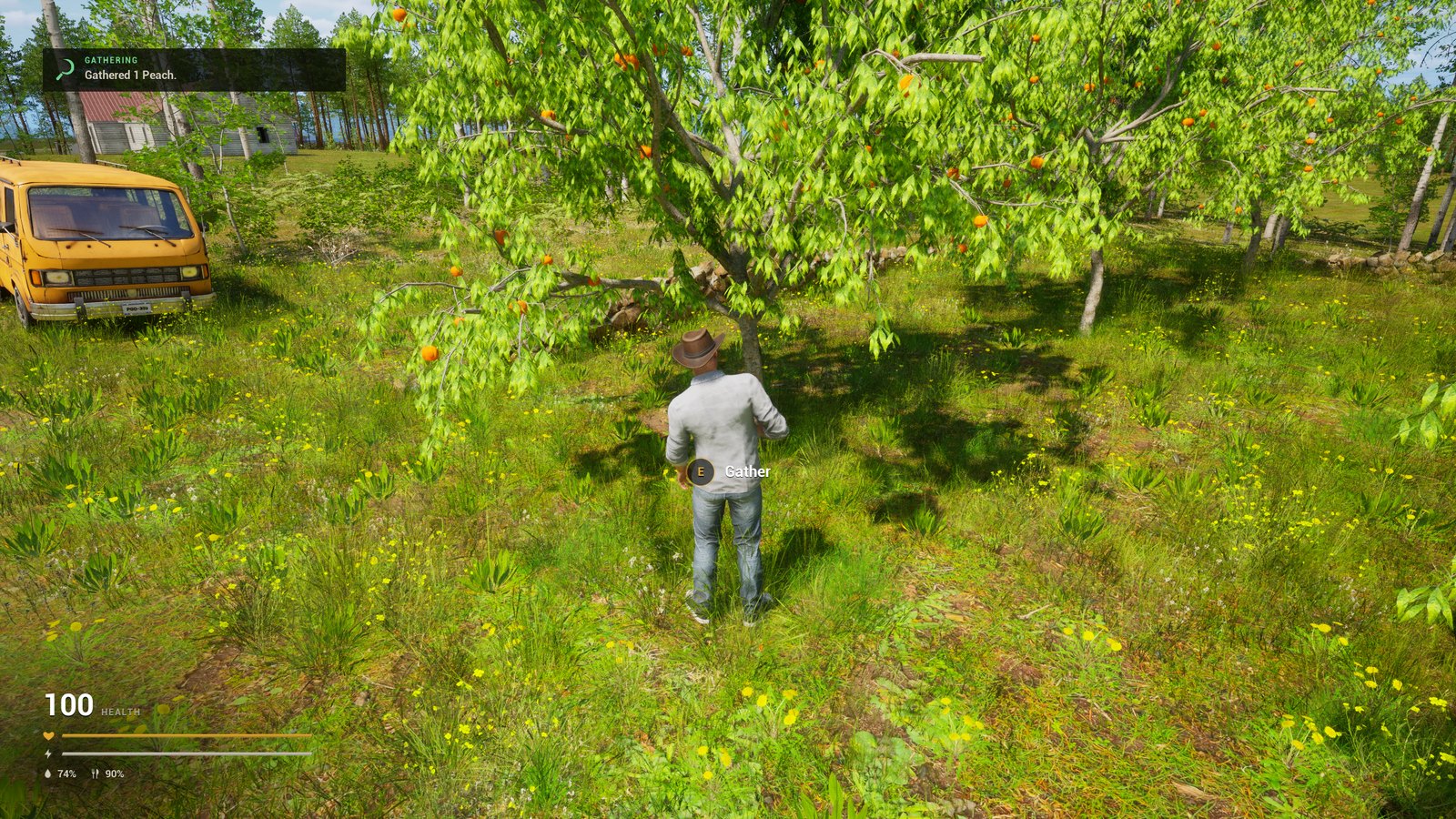
  1. Walk up to a peach tree and press E to gather.
  2. You can only carry 24 peaches yourself, so park close by and put them in your trunk as you go.
  3. Keep going until you have 50.
Low-Hanging Fruit$250 + sickle

The first 10 peaches finish this task and unlock the next one: selling 50.

The player gathering peaches from a tree with the Gather prompt, the Omnivoyager parked nearby
08 Press E at a tree · park the van close
09
Super Market

Sell your peaches

Time to make your first money from work. Drive to the Super Market in town and sell all 50 peaches.

First Sale$200
The Peach Run$1,500

You get paid for the peaches on the spot, and the Job Office has two more rewards waiting for you.

The Super Market in town: the entrance under the orange SUPERMARKET sign
09 The Super Market buys your peaches
10
Job Office HQ · town hall

Back to the Job Office

Head back to the Job Office on the first floor of the town hall and click Claim all: $4,450 and a sickle for your car, your peaches and your first sale.

Now you've got the pattern: pick a task, do the work, collect your pay. Every trade on the island has its own track in the Job Office.

Good to knowKEEP YOUR VAN ON THE ROAD
That's it. Have fun!
Where to go nextTHIS SHOULD GET YOU GOING · THE NEXT JOB OFFICE TASKS

Have fun on Block Island

The tutorials walk you through every job on the island, from gathering to selling. The knowledge base has every NPC, item and vehicle.

Open tutorialsjobs · chains · workstations Knowledge Join the alpha